A gobo projector can place a static logo or simple image on a building facade when the surface, distance, ambient light, viewing angle and mounting location are suitable. It is not the same as projection mapping and should not be expected to cover every architectural feature, remain clear in full daylight or operate in all weather. Feasibility must be checked at the actual site.
Start with measurements and night-time surface photographs before choosing equipment. The English commercial projection hub provides the route for matching a projector, lens and custom gobo to a facade brief.
When a Gobo Projector Fits a Facade Project
Gobo projection is most appropriate for a static mark, short message, emblem or pattern placed within a defined facade area. It can support building identification, a temporary campaign, hospitality branding or an evening event. The image is created optically from a physical gobo, so it does not provide video, animated mapping or content that wraps automatically around windows and architectural forms.
Define the objective and operating period. A logo shown for several evening hours has different requirements from a one-night launch. Decide whether the image must be read by pedestrians nearby, road users at a distance or guests in a controlled courtyard. Avoid locations where the beam or image could distract traffic, shine into occupied rooms or affect neighbouring properties.
A preliminary fit check asks:
- Is there an opaque, sufficiently clear target area?
- Can a secure mounting point achieve a usable angle?
- Is the planned image static?
- Can ambient light be managed during operating hours?
- Are power, access and permissions available?
- Can outdoor exposure be addressed with approved equipment and procedures?
If several answers are uncertain, arrange a site test before treating projection as the primary display method.
Assess the Facade Material, Color and Obstructions
Facade material affects contrast and detail. Light, matte and relatively even surfaces often provide a clearer optical target than dark, glossy or heavily textured finishes, but every site should be tested. Brick joints, stone relief, cladding seams and deep render can break fine lines. Reflective metal and glass may create glare or fail to show the image as expected.
Photograph the target area straight on and from the main viewing positions during the proposed operating period. Mark windows, balconies, signs, pipes, vegetation and architectural lighting. A logo crossing several window openings may become unreadable, while occupants may object to light entering rooms. Trees that seem clear in winter can obstruct the beam in summer.
Consider the artwork and surface together. Bold shapes and limited detail usually tolerate facade texture better than small text or intricate crests. Surface color can alter perceived brand colors. Cleaning, repainting or seasonal banners may change performance later, so record the initial finish. Do not assume that a successful test on a temporary screen predicts results on masonry.
Measure Throw Distance, Image Area and Viewing Angle
Measure throw distance from the realistic lens position to the target plane. Estimate the desired image width or diameter and confirm that it fits within a clear facade zone. Then record the horizontal and vertical offset between projector and image centre. These values guide lens selection and reveal whether the angle is likely to produce significant distortion.
Large images are not automatically more visible. Increasing size spreads light over more area and may reduce apparent brightness. It can also extend the artwork across windows or changes in surface depth. Choose dimensions from viewing distance, available contrast and the optical data of a specific projector and lens.
Inspect the complete beam path. Trees, poles, flags, roof edges and vehicles can cast shadows. Access cranes or future construction may occupy the route. Where a steep angle is unavoidable, a test should check keystone distortion and focus from edge to edge. Artwork compensation may be possible for a fixed geometry, but it should not be designed until the mounting point and lens are confirmed.
Evaluate Ambient Light and Operating Hours
Survey ambient light at the facade, not only at the projector position. Streetlights, floodlights, illuminated signage, windows, vehicle headlights and nearby displays all affect contrast. Daylight changes rapidly around sunset, so define the time when the image must become useful rather than promising continuous visibility.
Test with the building in its normal lighting state. Turning off facade luminaires may improve projection, but only if the property owner, safety plan and architectural intent allow it. If lights cannot be changed, moving the image to a less illuminated area or reducing its size may help. A brighter specification alone may not solve poor contrast on a difficult surface.
Weather also changes perceived visibility. Rain can darken or add reflections to material, mist can reveal the beam, and snow or seasonal foliage can alter the target. Outdoor-rated equipment does not guarantee an unchanged image in all conditions. The brightness and ambient-light guide provides a structured way to document these variables before selection.
Plan Outdoor Equipment, Mounting and Power
Use a projector explicitly approved by its manufacturer for the expected outdoor exposure, temperature range and installation orientation. Check the exact documentation rather than relying on a generic outdoor label. A site may still require protection from flooding, impact, salt, dust or extreme weather beyond the product's rating. Improvised enclosures can trap heat or compromise access and should not replace an engineered solution.
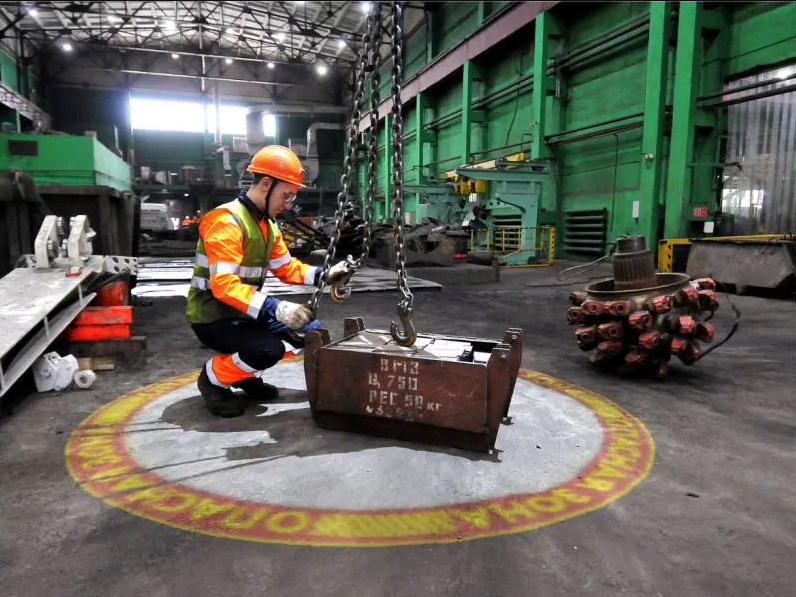
The mounting structure must be verified for the projector, bracket, wind exposure and local requirements. Use approved hardware and secondary restraints where specified. Prevent unauthorized adjustment and keep the beam away from eye-level public areas. For relevant permanent industrial applications, review industrial light demarcation, while confirming that facade use has its own optical and permission requirements.
Power and controls should be designed for the location by qualified personnel. Protect cables from water paths, sharp edges, vehicles and vandalism. Provide safe isolation and maintenance access. Timers or building controls can align operation with approved hours, but shutdown sequences and cooling must remain consistent with the projector manual.
Check Access, Permissions and Ongoing Maintenance
Confirm written permission from the building owner and review local planning, advertising, lighting, heritage, traffic and neighbourhood requirements. Rules vary widely, and a projection that is temporary may still need approval. Identify restrictions on brightness, operating hours, content or spill light. Do not aim beams into the sky or toward transport routes without the necessary assessment and authorization.
Plan how installers will reach both projector and target area. Roofs, poles and high walls may require specialized access and fall-protection arrangements. Keep a safe route for lens cleaning, gobo replacement, focus checks and mount inspection. If access requires a lift, include recurring hire and site closure needs in the operating plan.
Set an inspection schedule based on the model documentation, exposure and usage. Outdoor optics may collect dirt, water marks or insects; mounts and cables may be affected by corrosion or movement. Compare the image with baseline photos to detect changes. For the broader setup sequence, see the gobo projector installation guide.
Submit the Facade Survey and Request a Quote
Provide the facade address and owner status, target-area photos by day and night, measured throw distance, desired image size, viewing locations, surface material and color, nearby lighting, proposed operating hours, mounting options, power access and artwork. Include known permission constraints and seasonal or weather exposure. This allows an initial feasibility review before equipment is specified.
FAQ
Can a gobo logo be seen on a facade in full daylight? Do not assume it can. Sunlight and bright reflected light may overwhelm the image. Many facade applications are planned for evening or night and still require testing.
Can the projection cover windows and architectural details? Light may cross them, but the image can fragment, enter occupied rooms or become distorted. A clear opaque area usually provides a more reliable target.
Is an outdoor-rated projector enough for every weather condition? No. Ratings have defined limits, and safe operation also depends on mounting, power, drainage, temperature, wind and site procedures. Severe conditions may require shutdown.
Do I need permission for a facade logo? Often yes. Building-owner approval and local rules on advertising, light, traffic, heritage and operating hours should be checked before installation.
Send the survey and request a facade projection quote.