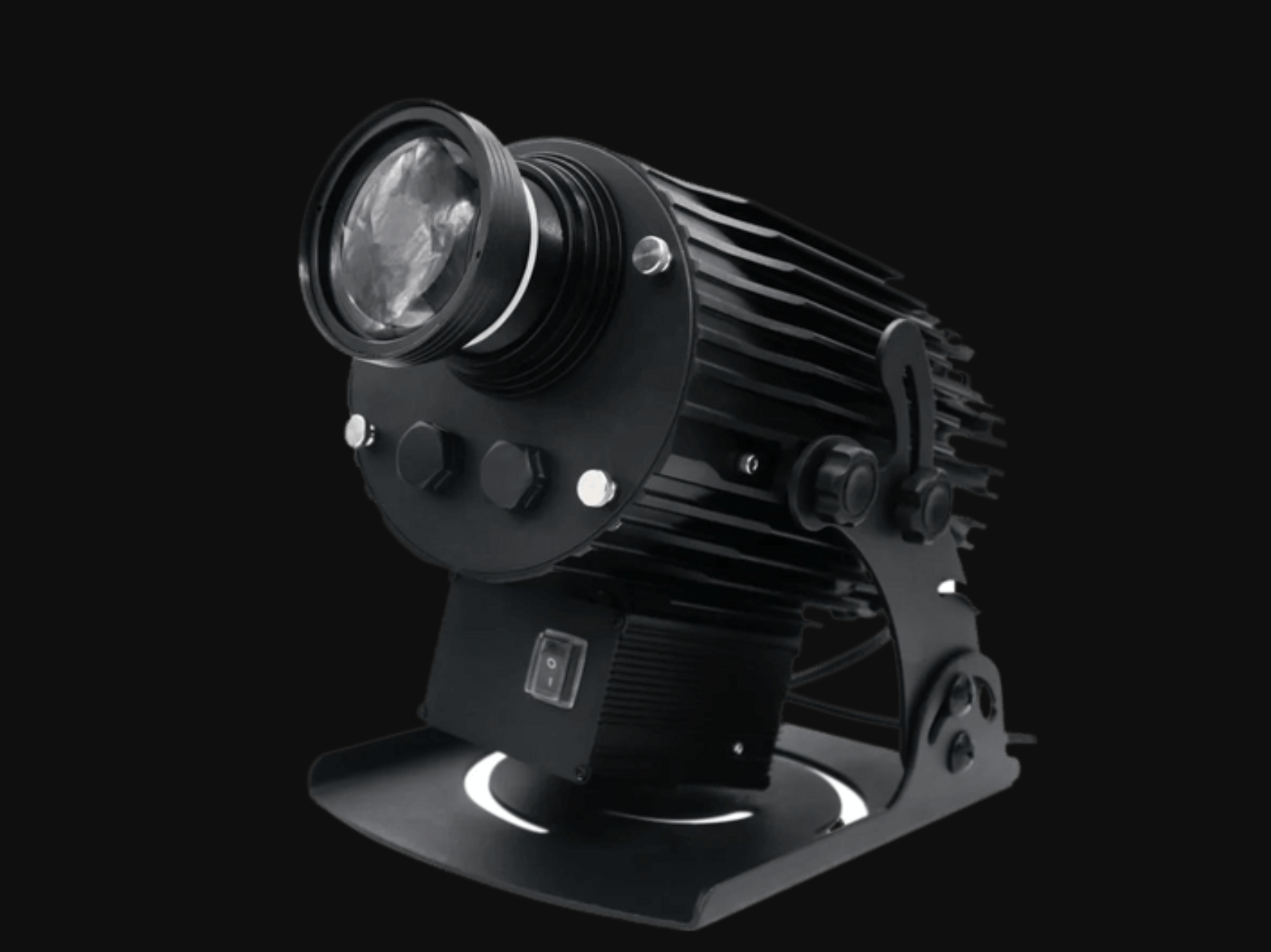
Gobo projector maintenance should combine model-specific instructions with regular visual, optical, environmental and mounting checks. A sensible routine is to isolate power, allow cooling, inspect external optical surfaces and ventilation, examine the gobo only as permitted, verify cables and mounting, then compare the projected image with a recorded baseline. Internal service should be left to authorized or qualified technicians.
There is no universal cleaning interval. A projector in a clean interior may need different attention from one exposed to dust, grease, moisture or frequent handling. If you are selecting a system for maintainable long-term use, review the commercial projector hub with access and operating conditions included in the brief.
Follow the Model-Specific Maintenance Instructions
Start with the current manual for the exact make and model. It should define user-accessible components, shutdown procedure, cooling time, acceptable cleaning materials, inspection points and work that requires professional service. Do not assume that advice for one projector applies to another, even when housings look similar.
Create a maintenance record linked to the unit's model and serial identifier. Note installation date, location, operating schedule, gobo version, service actions and observed changes. Photos of the original focused image, mounting position and cable route provide a useful baseline. For multi-unit sites, label each projector so records and replacement parts are not mixed.
A risk-based schedule should consider:
- manufacturer recommendations and warranty requirements;
- daily or seasonal operating hours;
- dust, moisture, heat, grease or vibration;
- outdoor exposure and changes in weather;
- public access or accidental contact;
- the cost of interrupted operation.
Maintenance does not override environmental ratings. If conditions exceed the approved limits, cleaning more often is not a safe substitute for selecting appropriate equipment or correcting the installation.
Power Down, Isolate and Allow the Unit to Cool
Before touching the fixture, follow its shutdown sequence. Some projectors use fans after light output stops, so disconnecting power immediately may interfere with controlled cooling. Once the manual's shutdown is complete, isolate the energy source using the approved site procedure and verify that the unit cannot restart unexpectedly.
Allow adequate cooling time before opening a gobo holder or touching nearby parts. Light sources, housings and optical components can remain hot after operation. Wear any personal protective equipment required by the manual or site. Use stable access equipment and secure the work area when the projector is mounted overhead or near pedestrian and vehicle routes.
Do not spray cleaner onto an energized projector, and do not allow liquid to enter ventilation openings, seams or electrical connections. If there is evidence of water ingress, damaged insulation, a burnt smell, unusual noise or cracked glass, keep the unit out of service and refer it to qualified support. Routine care is not a repair procedure, and opening sealed sections can create hazards or affect warranty coverage.
Inspect and Clean External Optical Surfaces
Dust, fingerprints and films on the external lens or protective window can reduce contrast or scatter light. Inspect surfaces under suitable illumination without staring into the beam. First determine whether the manual permits user cleaning and which tools or fluids are approved. Coated optics can be damaged by abrasive fabric, paper products, household glass cleaner or excessive pressure.
A typical cautious process is to remove loose particles with an approved method, then use the specified lint-free material and cleaning solution if needed. Apply fluid as directed rather than flooding the surface. Work gently from clean areas and avoid carrying grit across the optic. Stop if the contamination appears to be inside the unit.
After cleaning, check for scratches, haze, condensation or coating damage. A mark that remains may require service rather than stronger chemicals. Compare image focus and contrast with baseline photos under similar ambient light. If the projection is still blurry or dim, use the symptom-based gobo projector troubleshooting guide before changing multiple settings at once.
Check Ventilation, Housing and Environmental Exposure
Inspect ventilation openings and accessible filters according to the manual. Restricted airflow may increase operating temperature, but cleaning methods and filter replacement intervals vary. Never push debris deeper into the housing or operate the unit with covers or filters removed. Maintain the specified clearance around intakes and exhausts.
Look over the housing for cracks, loose fasteners, corrosion, damaged seals, blocked drains or evidence of impact. Outdoors, examine cable entries, connectors and mounting interfaces for exposure-related deterioration. Indoors, consider grease, theatrical haze, textile fibres and construction dust. Environmental contamination can change quickly after renovations or process changes.
Check whether the original site assumptions still apply. A new luminaire may increase ambient light; a wall may have been repainted; merchandise or equipment may block airflow; landscaping may intercept an outdoor beam. For permanent industrial systems, maintenance must fit the site's safety procedures and operational controls. The information on industrial light projection systems is relevant to those applications, but the exact projector documentation remains controlling.
Handle and Inspect the Gobo Carefully
Access the gobo only if the manual identifies this as a user procedure. Confirm that power is isolated and the unit is cool. Remove the holder by the specified method, noting orientation before moving the disc. Handle the gobo by its edges over a clean, protected surface.
Inspect for dust, fingerprints, discoloration, warping, chips, cracks or damage to fine metal features. Do not scrape cut areas or use unapproved solvents on coated glass. If cleaning is permitted, follow the supplier's method for that specific material. Reinstall the gobo in the correct direction and ensure the holder is fully seated without force.
Damage can affect image quality and safety. A distorted metal gobo or chipped glass gobo should be reviewed rather than returned to service automatically. Keep replacements in labelled protective containers showing artwork version, dimensions and compatible fixture. If a new logo is required, confirm compatibility instead of copying only the outer diameter. The glass and metal gobo comparison explains the material and artwork trade-offs.
Check Mounting, Cables, Focus and Image Quality
Inspect accessible mounting hardware, brackets, approved restraints and cable support for movement, corrosion, wear or looseness. Follow the manufacturer's torque and inspection guidance; indiscriminate tightening can also damage components. Structural or overhead concerns should be referred to qualified personnel. Compare witness marks and installation photos to identify gradual movement.
Examine power and control cables for abrasion, crushing, heat exposure, strained connectors or damaged jackets. Keep the unit isolated if electrical damage is suspected. Confirm that cable routes remain protected after changes to the space. Temporary extensions should not quietly become an undocumented permanent installation.
Run an operational test only after the projector is reassembled and the work area is clear. Check startup, fans, unusual sound, flicker, aim, focus, orientation and image stability. Evaluate visibility under representative ambient light, not just in a dark maintenance period. Record any adjustments. If the image requires frequent refocusing or re-aiming, investigate mounting movement, vibration or environmental change rather than repeatedly masking the symptom.
When to Request Service or a Replacement Quote
Request qualified service when there is internal contamination, water ingress, damaged wiring, repeated overheating, unusual noise, unstable output, cracked optical material, persistent flicker or an image problem that remains after permitted external checks. Provide the model, serial identifier, installation date, operating conditions, service history, photos and a short video when movement or flicker is involved.
FAQ
How often should a gobo projector be cleaned? Use the manufacturer's interval and adjust inspection frequency to the environment and operating schedule. There is no safe universal timetable for every model and site.
Can I clean the lens with household glass cleaner? Only if the manufacturer explicitly permits it. Coated optics may be damaged by common cleaners or abrasive wipes, so use specified materials.
Why does the image become dim again soon after cleaning? Possible causes include strong ambient light, internal contamination, a changed image size, optical damage, thermal issues or light-source deterioration. Document conditions and seek service rather than repeatedly cleaning.
Should I open the projector to clean inside? Not unless the manual defines an authorized user procedure. Internal work can involve heat, electrical and optical hazards and may affect sealing or warranty.
Send the records and site details through the form to request a service or replacement quote.