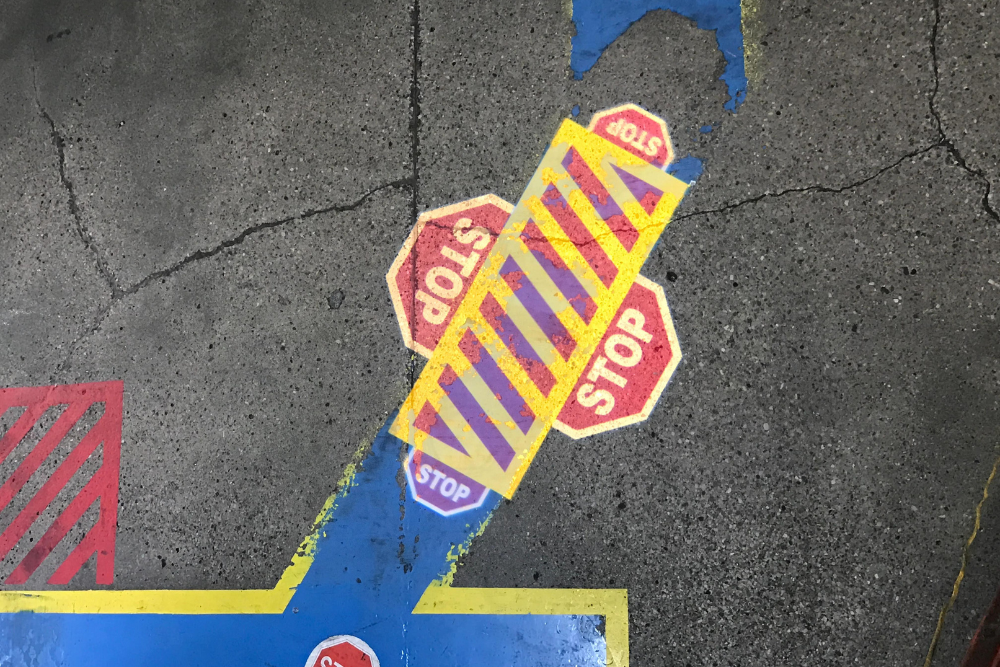
Successful event logo projection depends on an early venue survey, approved artwork, a workable mounting position and a cue that matches the lighting plan. A gobo projector is well suited to a static logo, monogram, sponsor mark or pattern, but its visibility depends on throw distance, image size, ambient light, surface and viewing angle. Temporary installation does not remove the need for safe rigging and power.
Define the intended moment and location before selecting equipment. For a broader view of available commercial approaches, start at the English projection solutions hub, then prepare event-specific measurements and timing.
Choose the Role of Projection in the Event
Decide what the projection must accomplish. It may identify a stage, welcome guests, personalize a dance floor, support sponsor recognition, add texture to a reception or create a photography background. One clear role helps determine image content, scale, placement and operating cue.
List the audience and viewing period. A logo behind a speaker must read from the back of the room and avoid the presenter's body. A monogram on a dance floor will be crossed constantly but may work well in overhead photographs. A sponsor mark near registration needs visibility under brighter task lighting. These are different technical briefs even within one event.
Keep static and dynamic requirements separate. A gobo is efficient for an image that remains unchanged. If the event needs video, animated transitions, live feeds or frequently changing sponsor slides, digital projection or LED display may be more appropriate. A combined production can use both, but responsibilities, cues and sightlines should be coordinated so one system does not wash out or cover the other.
Corporate Events, Trade Shows, Weddings and Launches
Corporate events often need accurate brand use, predictable cueing and coordination with stage lighting. Confirm brand guidelines, sponsor hierarchy and the exact artwork version. Trade shows add restrictions on rigging, shared power, booth boundaries and competing ambient light from neighbouring stands. A smaller, high-contrast image on a controlled surface may be more effective than an oversized projection in a bright hall.
Weddings commonly use monograms, names, dates or decorative patterns. Check spelling and date carefully at proof stage. Consider how dresses, guests, tables and floral installations will interact with a floor or wall projection. For launches, the reveal timing may be critical; rehearse transitions from general lighting to the projected mark rather than assuming the image will suddenly become visible.
Each format has a different approval chain. Identify who signs off the artwork, who controls venue lighting, who supplies rigging and who operates the projector. Put these responsibilities in the production schedule. Last-minute uncertainty about a mounting point or logo version creates more risk than the optical setup itself.
Survey the Venue and Projection Surface
Obtain venue drawings and complete an on-site survey where possible. Measure from the realistic lens position to the target surface, not from a convenient floor marker. Record the desired image boundary, ceiling height, rigging points, power locations, access times and obstacles such as chandeliers, banners, speakers and scenic pieces.
Inspect the surface for color, texture, gloss, curves and joints. Fine lettering can break up on brick or drapery folds. Glossy floors may create reflections. Dark scenic fabric can absorb light. A projection onto a temporary set wall may perform well, but confirm its final paint color and location rather than testing an unfinished sample only.
Map viewing directions and camera positions. A logo that looks correct from the control desk may be distorted from guest seating. Projector placement should avoid glare toward attendees, cameras and staff. If the only available angle is steep, assess keystone distortion and edge focus before approving the artwork. Do not rely on venue photographs alone when dimensions and finishes can change between events.
Coordinate Ambient Light, Timing and Photography
Share the target surface with the lighting designer. Stage washes, moving lights, uplighters and house lighting can reduce contrast even when they do not point directly at the logo. Schedule a rehearsal with the expected lighting state and content on surrounding screens. A projection checked in an empty dark room is not a valid test for a fully lit event.
Choose when the image matters most. It may run during guest arrival, remain behind speeches, appear for a first dance or become part of a product reveal. Lighting cues can protect contrast during these moments. No system should be promised visible under every combination of bright stage light, daylight and camera flash.
Photography introduces another variable. Cameras may render projected colors and brightness differently from human vision, and automatic exposure can make the logo appear weaker or stronger. Ask the photographer or video team to test key shots. Avoid flicker assumptions and check actual capture. For deeper planning, see the brightness and ambient-light guide.
Prepare Event Artwork and Alternate Designs
Use approved source artwork and simplify it for the real viewing distance. Thin taglines, web addresses and intricate dates may not remain legible on a textured surface or in atmospheric haze. A bold symbol or monogram often reads better than a complete brand lockup. Preserve clear space around the design so focus and framing adjustments do not crop important elements.
Prepare alternatives when the venue has uncertain conditions. A single-color high-contrast version may outperform a detailed color design. A horizontal and compact version can provide flexibility if the final surface differs from the plan. Alternatives must be approved before production, not improvised by the technician during load-in.
Check spelling, date, sponsor order, orientation and crop on the production proof. For best practices on source files and fine detail, use the custom gobo artwork requirements. Label every file with event name and version. If several gobos will be used, create a cue sheet and store each disc in a protective, clearly marked container.
Plan Temporary Mounting, Access and Contingencies
Temporary does not mean informal. Use projector-approved mounting hardware on a structure verified for the load. Follow venue rules for rigging, secondary restraints and working at height. Keep ventilation clear and position the unit where guests cannot touch, move or hang items from it. Qualified personnel should handle electrical and overhead work.
Protect cable routes with approved methods and coordinate shared circuits with production teams. Confirm load-in, focusing and strike access. If the projector is above a set or occupied floor, establish when the area will be clear for adjustment. Rehearse gobo orientation and focus before doors open.
Build contingencies around the importance of the effect. Carry approved spare mounting items, labelled artwork, cleaning materials specified by the manufacturer and relevant cables. A spare gobo or projector may be justified for a critical reveal, subject to compatibility. Also prepare a non-projection fallback, such as a printed sign or screen asset. Outdoor events require an explicit weather plan; equipment must have suitable ratings, and wind or rain may still force shutdown under the event safety plan.
Send the Event Brief and Request a Quote
Provide the event date, venue, load-in schedule, projection role, approved artwork, measured throw distance, target image size, surface photos, lighting states, mounting options and indoor or outdoor conditions. Identify deadlines for proofs and the person authorized to approve them. Early information leaves time to resolve venue restrictions and test alternatives.
FAQ
How early should event logo projection be planned? As early as the venue, artwork and production schedule allow. Time is needed for survey, equipment matching, proof approval, gobo production and rehearsal.
Can one projector show several changing sponsor logos? A standard static gobo does not provide digital slide changes. Some systems may support gobo changes, but requirements should be reviewed; rapidly changing content may suit digital display better.
Will haze make the logo brighter? Haze can reveal the beam and may reduce surface contrast or affect photography. Its use is venue- and event-specific and must be coordinated with safety and lighting teams.
Do outdoor events need a backup plan? Yes. Weather, wind, moisture, ambient light and mounting conditions can interrupt projection even when outdoor-rated equipment is used.
Send the production details and request an event projection quote.